become difficult for users to know if their credentials are already
in possession of hackers or being circulated freely across the
Internet.
Thankfully, Google has a solution.
Today, February 5, on Safer Internet Day, Google launches a new
service that has been designed to alert users when they use an
exact combination of username and password for any website that has
previously been exposed in any third-party data breach.
[1]
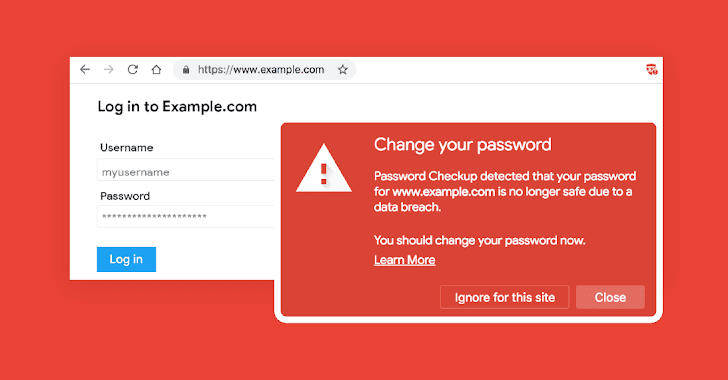
The new service, which has initially been made available as a free
Chrome browser extension called Password Checkup, works by
automatically comparing the user’s entered credential on any site
to an encrypted database that contains over 4 billion compromised
credentials.
If the credentials are found in the list of compromised ones,
Password Checkup will prompt users to change their password.
Wondering if Google can see your login credentials? No, the
company has used a privacy-oriented implementation that keeps all
your information private and anonymous by encrypting your
credentials before checking them against its online database.
“We designed Password Checkup with privacy-preserving technologies
to never reveal this personal information to Google,” the company
emphasizes. “We also designed Password Checkup to prevent an
attacker from abusing Password Checkup to reveal unsafe usernames
and passwords. Finally, all statistics reported by the extension
are anonymous.” 
explanation to learn more about how it works under the
hood.
Moreover, it is not yet another “weak password warning tool” that
alerts users whenever they use a commonly used or easily crackable
password for any website.
“We designed Password Checkup only to alert you when all of the
information necessary to access your account has fallen into the
hands of an attacker,” Google says.
“We will not bother you about outdated passwords youn have
already reset or merely weak passwords like ‘123456.’ We only
generate an alert when both your current username and password
appear in a breach, as that poses the greatest risk.”
Checkup, is available from today, and anyone can download it
for free.
Besides launching the new Chrome extension, Google also lists
five Official Security Tips which includes keeping your software
up-to-date, using unique passwords for every site, taking the
Google security checkup, setting up a recovery phone number or
email address, and making use of two-factor authentication.
Chrome users can follow these security tips to keep themselves
safe on the Internet.
References
- ^
launches
(security.googleblog.com) - ^
4-step visual explanation
(1.bp.blogspot.com) - ^
Password Checkup
(chrome.google.com)
Read more http://feedproxy.google.com/~r/TheHackersNews/~3/X0EGuS4vVzA/google-password-checkup-breaches.html