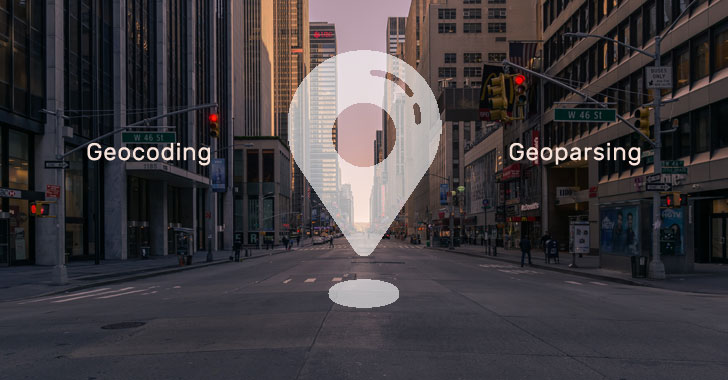
How can your app hook into a geocoding service that offers
forward and reverse geocoding and an auto-completion facility?
Geocoding turns a location name or address into geocoordinates.
The service gets used by thousands of applications like Uber and
Grubhub to track and plot their map data.
Yet, it can also help web development by enhancing UX through
reverse geocoding. Not to mention auto-completing forms to make the
likes of checking-out easier.
This article examines Geocode API, the premier provider of
geocoding services.
Read on to learn what the API offers, how it works, and what
sets it apart. You’ll discover how its free plan grants you access
to 350.000 monthly requests!
What is Geocoding?
Geocoding describes[1]
how to turn a location name or description and convert them into
detailed coordinates. It also offers this service in reverse, i.e.,
convert coordinates into location information.
Results can include:
- GPS coordinates
- Full address information
- Accuracy and confidence reports
A software application like a website provides basic location
information to a geocoding service. That service then returns a set
of results that web development teams can use when enhancing UX,
e.g., plotting maps.
What is a Geocode API?
An Application Programming Interface or API provides a simple
way to request geocoding data.
For example, Geocode API equips you with an authorization key to
query the service. Simply build your query into a URL string or use
software like cURL[2]
to communicate with the servers.
APIs use endpoints to search for different types of data or
query unique services.
With a geocoding API, endpoints comprise forward geocoding,
reverse geocoding, and auto-completion. We’ll discuss these
specific endpoints shortly.
Like most APIs, the results are formatted in JSON. That makes it
easy to integrate data into web pages etc., as the format’s
universal.
Types of Geocoding
Some APIs offer a limited set of geocoding features, but the
best provide three invaluable services.
Forward Geocoding
Forward geocoding enables you to send a full or partial address
and receive more specific information about it.
The service leaves this relatively open in that you can provide
as much or as little data as you want. Think ‘Cupertino,
California’ versus ‘1 Apple Park Way in Cupertino, California,
United States’.
Geocode API extends this functionality significantly.
You can limit the number of results to be returned. You can also
limit the search radius or select a rectangular boundary. You can
even prioritize around a focus point to optimize results.
Reverse Geocoding
Reverse geocoding sends latitude and longitude coordinates to
the API and returns location data.
Basic filter parameters include lat/long, but you can also
refine results within a specific radius. Location properties cover
micro and macro details of the area, including region and
continent.
Geocode API enhances this endpoint through layers.
Layers act as location types, and you can filter elements like
venues, streets, and addresses. You can also limit the dataset
returned and retrieve a more precise lat/long coordinate.
Address Auto-Completion
The auto-completion endpoint[3] boosts the reverse
geocoding service by predicting locations.
When a user starts to enter their address, the API returns an
array of matching locations. Developers can then incorporate these
results into a drop-down menu for the user to select from.
Many providers can’t offer auto-completion due to network
throttling and slow service.
Geocode API doesn’t suffer from these limitations. That means
you’re certain to retrieve instant and accurate results every
time.
Common Use Cases
Geocoding is used in all forms of applications, from dedicated
map apps to delivery services. Here a few common use cases that you
can copy with ease.
Data Cleansing and Offline Marketing
If you have a customer database, it’s vital to know that the
records are correct. That’s especially important when sending
mailshots or important correspondence.
Using the Geocode API reverse geocode endpoint helps ensure your
records remain accurate.
Loop each row, send the customer address, wait for the result,
then update your data. Because the service works within
milliseconds, you can amend thousands of records in a short
timeframe.
There’s also a batch upload facility, which we’ll discuss
later.
Auto-Completion of Forms
This service is useful for any website or app that requires a
user to enter their address.
If you have an eCommerce site, use the auto-completion endpoint
to offer a list of suggestions for shipping. The user no longer
needs to complete a long, boring form.
Just select a suggestion, and the API content fills in the
requested fields.
Benefits of Geocode API
Unlike other providers, the Geocode API provides the following
benefits:
- Free plan with 350.000 monthly requests
- Highly scalable service
- Realtime results
- Simple to use API
- Batch processing
Try the free plan[4]
to access 350.000 monthly requests, including HTTPS encryption and
batch uploads. You’ll also receive email support and can submit two
queries every second.
Signing-up for the premium plans unlocks a world of
possibilities for enhancing UX in your applications.
It only costs $85 to submit up to two million forward/reverse
geocoding and auto-completion requests. That’s 25 every second. And
for an extra $50, that bumps up to 3.5 million with 35 queries per
second.
Receive discounts on yearly subscriptions, and personal
support[5] is available to all
members.
US and Canada and Worldwide Database
Geocode API’s worldwide database makes it easy to parse location
data.
There are no rate limits or throttling, which means the system
mirrors your growth in demand. Results arrive in real-time, and you
can even test the system directly from your browser’s address
bar.
Batch Geocoding Upload
Need multiple location information? Use the batch upload
facility[6] within the dashboard for
instant results.
Simply create a CSV (spreadsheet) file of your addresses and add
them to the system. Formats can include several header columns like
Address, City, and Country.
Once uploaded, you can map each data field to the main list. The
system does most of this for you, but you can tweak columns as
required.
Submitting the form will return three example results. If you’re
satisfied, continue the process to download a batch set of
results.
This service offers easy website administration, and you can
submit 7000 rows per month for free.
Enhancing UX and Web Development With Geocoding
API
Geocode API is more than capable of processing your geocoding
requirements. With a robust network and no throttling or rate
limits, you can directly integrate location data into your
apps.
The free plan offers an excellent starting point to trial the
system.
With 350k requests per month, it can act as the backbone for
smaller apps. Then, when they get bigger, the service will match
their growth.
Remember to check out other location-related articles on The
Hacker News site.
Sign-up for our cybersecurity newsletter to stay informed. And
follow us on social media using the links at the bottom of the
page.
References
- ^
Geocoding describes
(guides.library.illinois.edu) - ^
software
like cURL (dev.to) - ^
auto-completion endpoint
(geocodeapi.io) - ^
Try the
free plan (geocodeapi.io) - ^
personal support
(geocodeapi.io) - ^
batch
upload facility (geocodeapi.io)
Read more http://feedproxy.google.com/~r/TheHackersNews/~3/cR5A2uSoAhE/what-is-geocoding-how-to-find.html