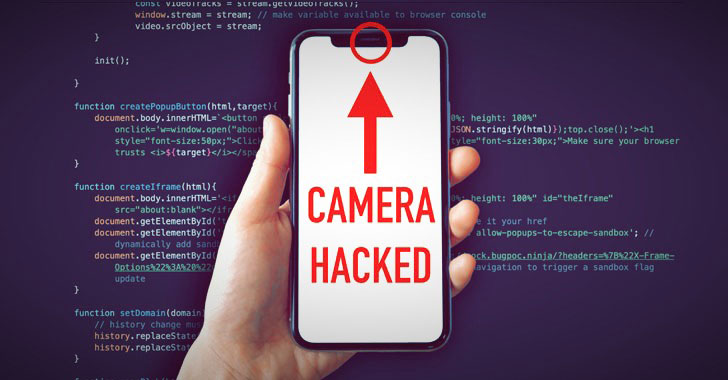
alarming news for you.
Turns out merely visiting a website — not just malicious but
also legitimate sites unknowingly loading malicious ads as well —
using Safari browser could have let remote attackers secretly
access your device’s camera, microphone, or location, and in some
cases, saved passwords as well.
Apple recently paid a $75,000 bounty reward to an ethical
hacker, Ryan Pickren[1], who practically
demonstrated the hack and helped the company patch a total of seven
new vulnerabilities before any real attacker could take advantage
of them.
The fixes were issued in a series of updates to Safari spanning
versions 13.0.5
(released January 28, 2020) and Safari 13.1 (published March 24,
2020).
[2][3]
“If the malicious website wanted camera access, all it had to do
was masquerade as a trusted video-conferencing website such as
Skype or Zoom,” Pickren said.
When chained together, three of the reported Safari flaws could
have allowed malicious sites to impersonate any legit site a victim
trusts and access camera or microphone by abusing the permissions
that were otherwise explicitly granted by the victim to the trusted
domain only.
An Exploit Chain to Abuse Safari’s Per-Site Permissions
Safari browser grants access to certain permissions such as camera,
microphone, location, and more on a per-website
basis. This makes it easy for individual websites, say Skype,
to access the camera without asking for the user’s permission every
time the app is launched.
But there are exceptions to this rule on iOS. While third-party
apps must require user’s explicit consent to access the camera,
Safari can access the camera or the photo gallery without any
permission prompts.
Specifically, improper access is made possible by leveraging an
exploit chain that stringed together multiple flaws in the way the
browser parsed URL
schemes[5] and handled the security
settings on a per-website basis. This method only works with
websites that are currently open.
completely ignored,” Pickren noted. “This is problematic because
some schemes don’t contain a meaningful hostname at all, such as
file:, javascript:, or data:.”
Put another way, Safari failed to check if the websites adhered
to the same-origin policy, thereby granting access to a different
site that shouldn’t have obtained permissions in the first place.
As a result, a website such as “https://example.com” and its
malicious counterpart “fake://example.com” could end up having the
same permissions.
Thus, by taking advantage of Safari’s lazy hostname parsing, it
was possible to use a “file:” URI (e.g.,
file:///path/to/file/index.html) to fool the browser into changing
the domain name using JavaScript.
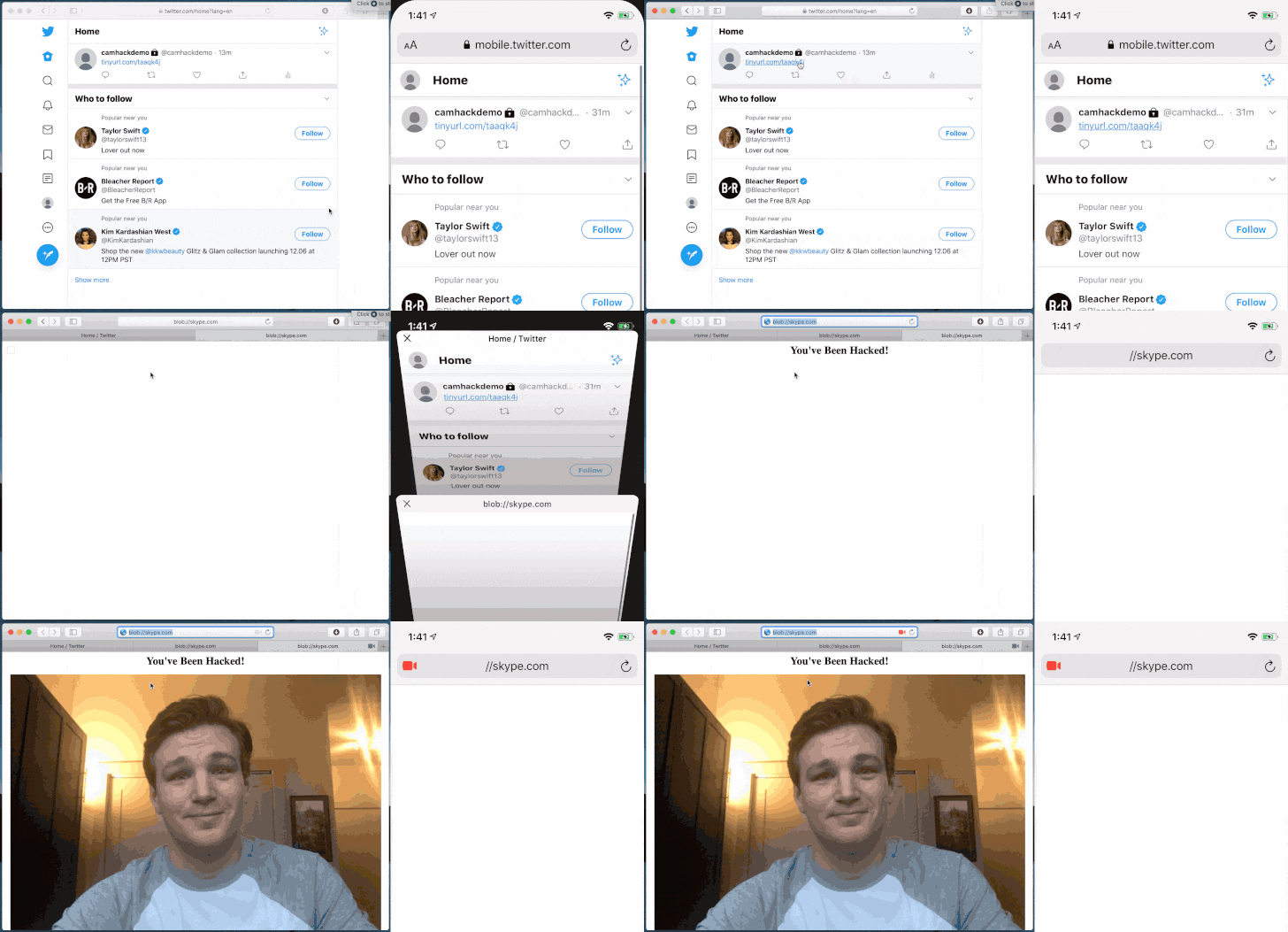
“Safari thinks we are on skype.com, and I can load some evil
JavaScript. Camera, Microphone, and Screen Sharing are all
compromised when you open my local HTML file,” Pickren said.
The research found that even plaintext passwords can be stolen
this way as Safari uses the same approach to detect websites on
which password auto-fill needs to be applied.
Furthermore, auto-download preventions can be bypassed by first
opening a trusted site as a pop-up, and subsequently using it to
download a malicious file.
Likewise, a “blob:” URI (e.g. blob://skype.com) can be exploited
to run arbitrary JavaScript code, using it to directly access the
victim’s webcam without permission.
In all, the research uncovered seven different zero-day
vulnerabilities in Safari —
- CVE-2020-3852: A URL scheme may be incorrectly ignored when
determining multimedia permission for a website - CVE-2020-3864: A DOM object context may not have had a unique
security origin - CVE-2020-3865: A top-level DOM object context may have
incorrectly been considered secure - CVE-2020-3885: A file URL may be incorrectly processed
- CVE-2020-3887: A download’s origin may be incorrectly
associated - CVE-2020-9784: A malicious iframe may use another website’s
download settings - CVE-2020-9787: A URL scheme containing dash (-) and period (.)
adjacent to each other is incorrectly ignored when determining
multimedia permission for a website
If you are a Safari user, it’s recommended that you keep the
browser up-to-date and ensure websites are granted access to only
those settings which are essential for them to function.
References
- ^
Ryan Pickren
(www.ryanpickren.com) - ^
versions 13.0.5
(support.apple.com) - ^
Safari 13.1
(support.apple.com) - ^
per-website basis
(support.apple.com) - ^
parsed URL schemes
(developer.mozilla.org)
Read more http://feedproxy.google.com/~r/TheHackersNews/~3/TLOWwnt2GAc/hacking-iphone-macbook-camera.html